
Download Gone – Free To‑Do List App for Secure Daily Task Management
Overview
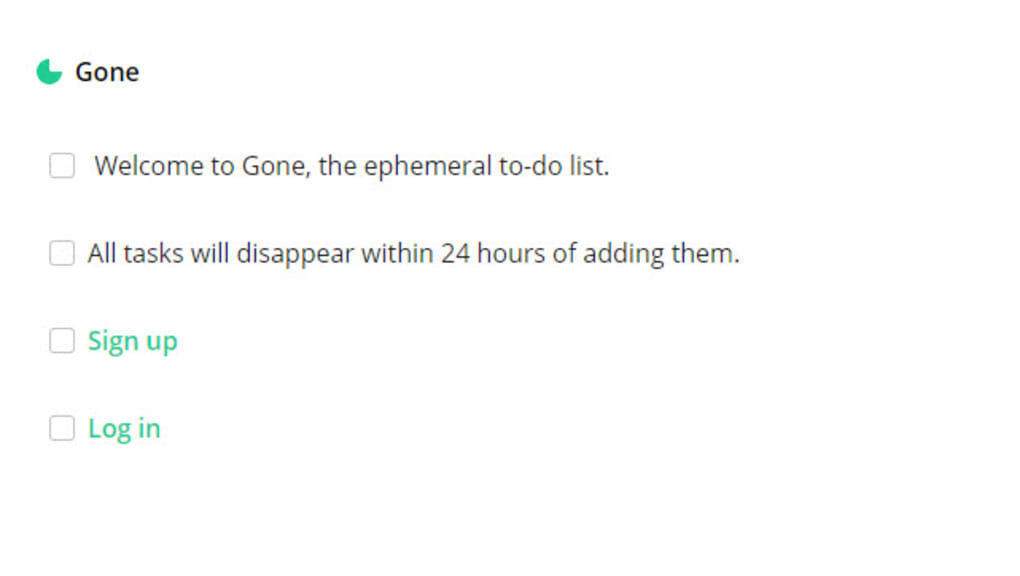
Gone is a free online tool that offers a quick, simple, and effective approach to managing your daily to‑do list. The core idea is refreshingly minimal: you create a list of tasks, and after twenty‑four hours the entire list is automatically deleted. This built‑in expiration forces you to focus on completing items within a tight window, reducing procrastination and preventing your schedule from becoming cluttered with old, completed lists.
Gone works entirely in the browser, so there’s no need to install heavyweight software, and the data never lingers on your device beyond the 24‑hour window, making it a secure option for privacy‑conscious users. Because the service is free, it’s an attractive alternative to paid task‑management platforms that lock you into long‑term subscriptions. Whether you’re a student juggling assignments, a freelancer tracking client deliverables, or simply someone who wants to keep a clean daily agenda, Gone provides a frictionless experience that encourages productivity without the overhead of traditional project‑management tools.
Its clean interface, automatic deletion feature, and cross‑platform accessibility make it a standout tool for anyone looking to streamline their daily workflow.
Core Features & Benefits
- Automatic 24‑hour deletion of the entire to‑do list, ensuring no lingering tasks.
- Zero‑install, web‑based interface that works on any modern browser.
- Minimalist design that eliminates distractions and keeps focus on the tasks at hand.
- Free to use with no hidden fees, premium tiers, or subscription requirements.
- Secure handling of data—lists are stored temporarily and erased after the set period.
- Responsive layout that adapts to desktop, tablet, and mobile screens (Windows, macOS, Android, iOS).
- Simple task creation with drag‑and‑drop reordering and instant editing.
- Real‑time synchronization across devices as long as the session remains active.
- Option to export the list before deletion for archival purposes.
- Lightweight performance, loading in under two seconds even on slower connections.
Installation, Usage & Compatibility
Because Gone is a web‑based app, there is no traditional installation process. To get started, simply open your preferred browser (Chrome, Firefox, Edge, Safari, or any Chromium‑based mobile browser) and navigate to the official Gone URL. The first page presents a clean input field where you can type a task name and press “Enter” to add it to the list.
You can continue adding tasks, rearrange them by dragging, or click the pencil icon to edit. Once you have built your list, a visible countdown timer appears at the top, indicating the remaining time before automatic deletion. When you’re ready to begin work, you can check off items, and the interface instantly reflects completion.
If you need to retain a list beyond the 24‑hour window, you can click the “Export” button to download a plain‑text version before the timer expires.
The tool is fully compatible with major operating systems. Under Windows 10/11, macOS Monterey and later, Linux distributions, Android 8.0+, and iOS 13+, the application runs smoothly because it relies only on standard HTML5, CSS3, and JavaScript. No additional plugins or extensions are required, and the service is optimized for both desktop keyboards and touch interfaces. Users on older browsers may experience limited functionality, but the core task‑creation feature remains accessible. For those who prefer a shortcut, you can create a bookmark or add a shortcut to your home screen on Android or iOS, turning the web app into an app‑like experience without the need for a native download.
Pros, Cons & Frequently Asked Questions
Pros
- Completely free with no hidden costs.
- Automatic 24‑hour deletion keeps your task list fresh and uncluttered.
- Zero‑install, works on any device with a modern browser.
- Secure, temporary storage reduces privacy concerns.
- Lightweight and fast, even on low‑bandwidth connections.
- Responsive design adapts to Windows, Mac, Android, and iOS.
Cons
- No long‑term persistence; tasks are lost after 24 hours unless exported.
- Lacks advanced project‑management features such as tagging, subtasks, or collaboration.
- Relies on an internet connection; offline usage is not supported.
- Limited customization of the UI (color schemes, fonts).
- No native mobile app, though the web version works well on mobile browsers.
Frequently Asked Questions
Is Gone really free or are there hidden fees?
Gone is 100 % free to use. There are no subscription plans, in‑app purchases, or hidden fees. The service is supported by optional donations, but you can enjoy all core features without paying a single cent.
Can I use Gone on my mobile device?
Yes. Because Gone runs entirely in the browser, it works on Android and iOS devices. You can even add a shortcut to your home screen to launch it like a native app.
What happens to my data after the 24‑hour period?
All task data is automatically and permanently deleted from the server after 24 hours. This design ensures your privacy and prevents any accidental data retention.
Do I need an account to start using Gone?
No account is required. You can begin creating a list instantly. However, if you prefer to sync across devices, you can optionally sign in with a Google or Apple ID, which stores your list only for the 24‑hour window.
Is there a way to recover a deleted list?
Once the 24‑hour timer expires, the list is permanently removed and cannot be recovered. To keep a record, use the Export button before the timer ends.
Conclusion & Call to Action
Gone delivers a uniquely disciplined approach to daily task management by combining simplicity, security, and a built‑in expiration mechanism. For users who value a clutter‑free workspace and want a free, no‑frills solution that works across Windows, macOS, Android, and iOS, Gone stands out as a reliable web app. While it may lack advanced features found in heavyweight project‑management suites, its focus on rapid task turnover and privacy makes it an excellent complement to any productivity toolkit. Ready to experience a fresh way to conquer your to‑do list? Download Gone now and start ticking off tasks with confidence—knowing that after 24 hours, the list will vanish, leaving you with a clean slate for tomorrow.



.png)



